From an empty account to the first new hire with a bot and a plan
You will need documents for newcomers (internal rules, paperwork procedure, health and safety, benefits), a list of mentors and at least one new employee. No programmers required.
In the RUNVIK account find “RUNVIK Mentor” and click “Open”. The HR account is created automatically; the first 30 days are free. On first sign-in accept the offer and the personal data consent.
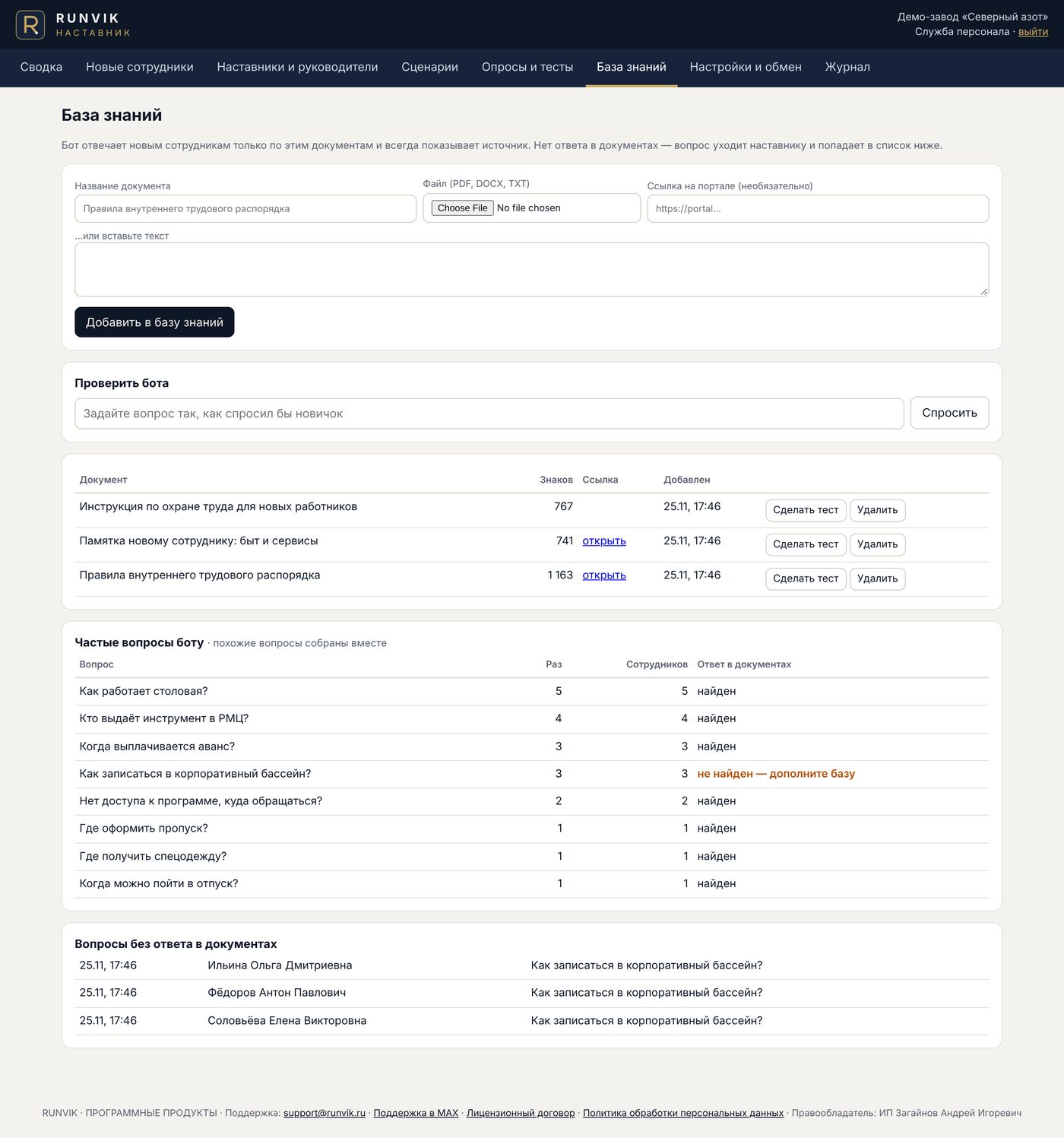
Section “Knowledge base”: add files (PDF, DOCX, TXT) or paste text. The bot answers only from these documents. Check it right away: type a newcomer's question into “Ask” — the bot shows the answer and its source.
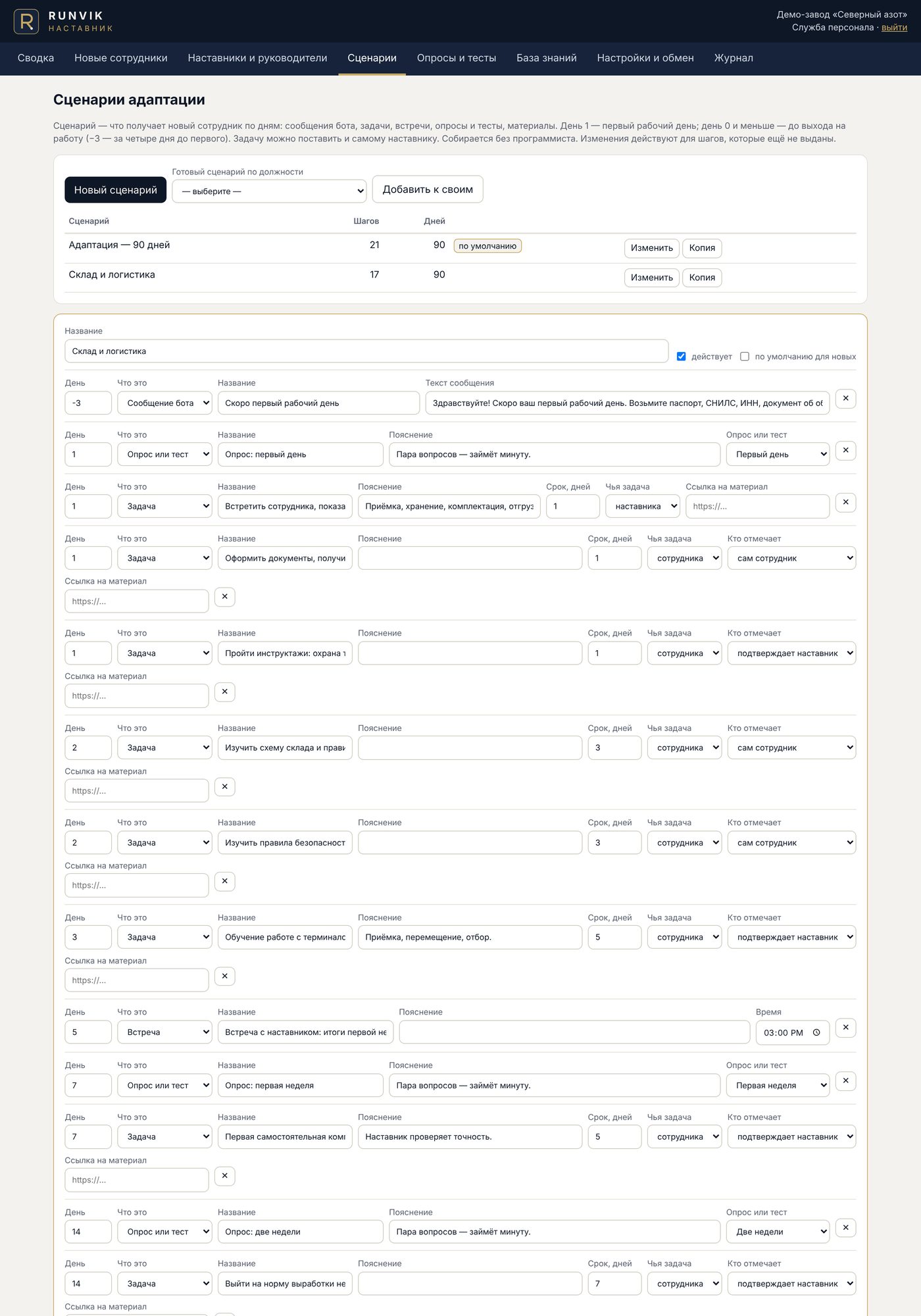
Section “Scenarios” already contains a general 90-day scenario with surveys on days 1, 7, 14, 30 and 90. Need one for a specific role? Choose “Ready scenario by position” (worker, sales assistant, warehouse, office, manager) and click “Add to mine”. Adjust the steps: day, text, deadline, whose task — employee or mentor. Day 1 is the first working day; steps with day 0 or less are sent before the start.
In “Knowledge base” click “Make a test” on a document: the bot drafts five multiple-choice questions. Check the questions and answers, save and add the test as a scenario step. The pass mark is 80 %; an employee who fails can retake it.
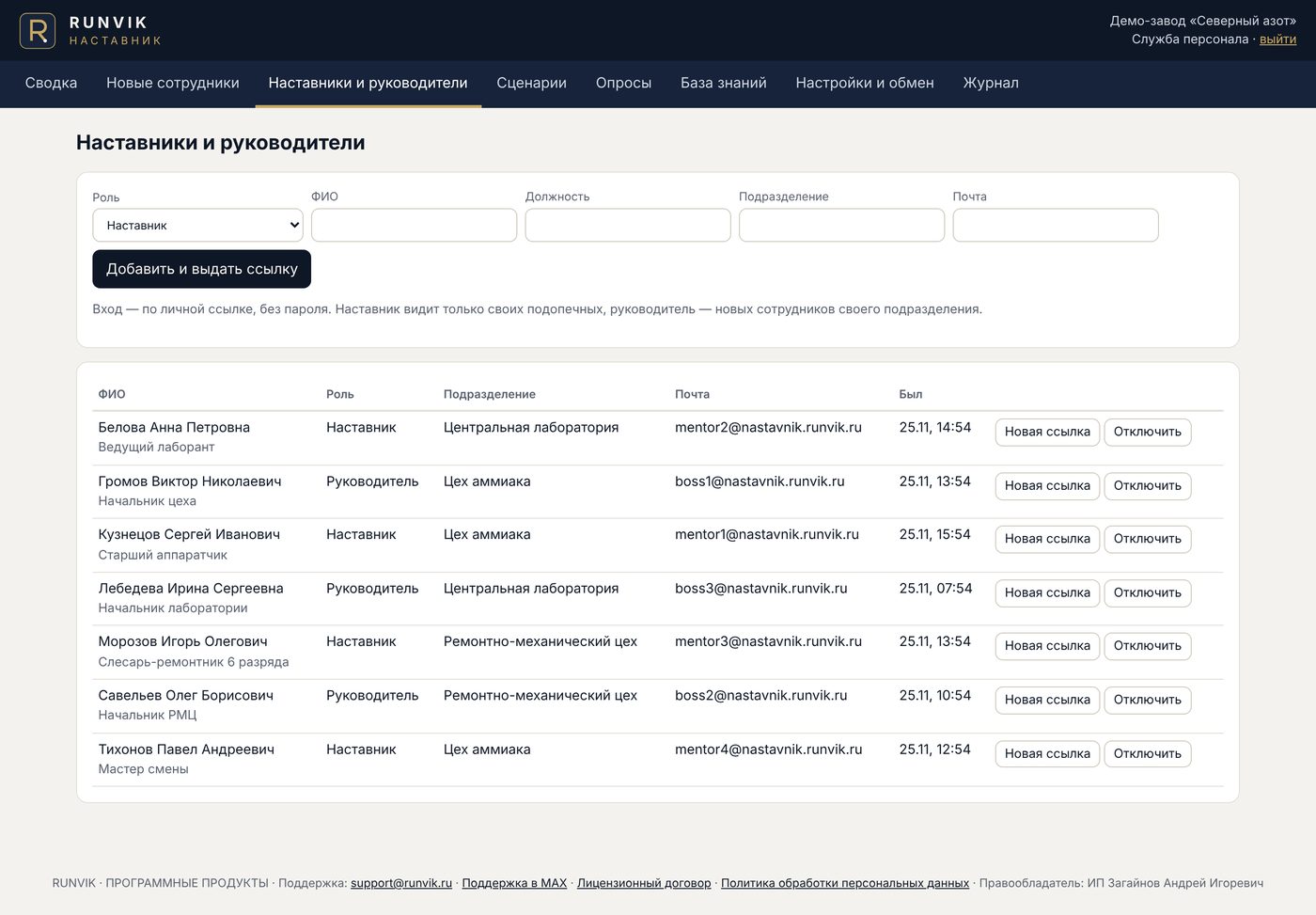
Section “Mentors and managers”: full name, department, role, e-mail. Each gets a personal sign-in link — send it to the person.
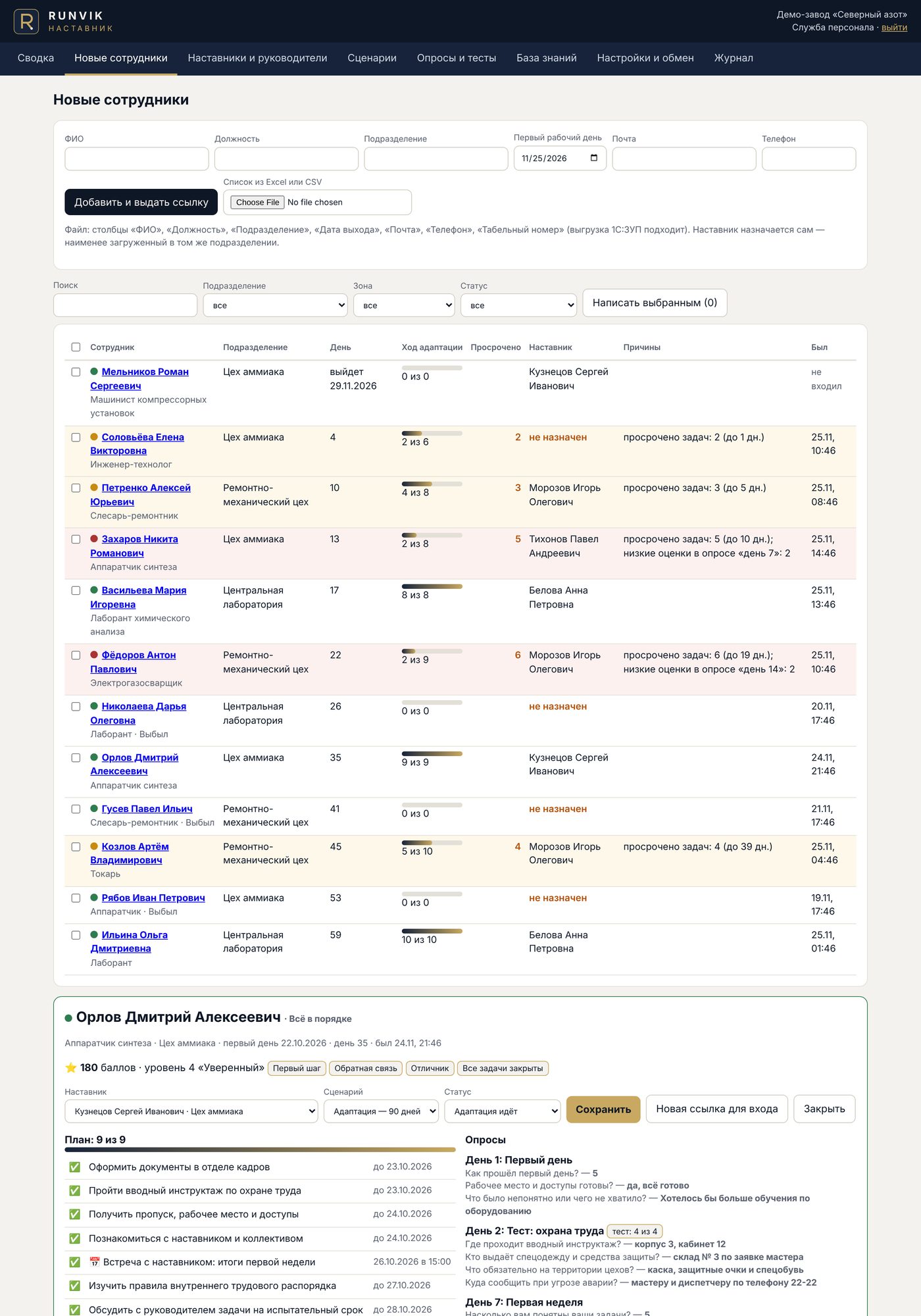
Section “New employees”: full name, position, department, first working day, mentor and scenario. Many people — upload “List from Excel or CSV”. “Copy” gives a personal link — send it to the employee by message or e-mail.
To have new employees arrive automatically from your HR system, get an exchange key in “Settings and exchange”. Detailed guides for employees and HR are available in Russian.
